
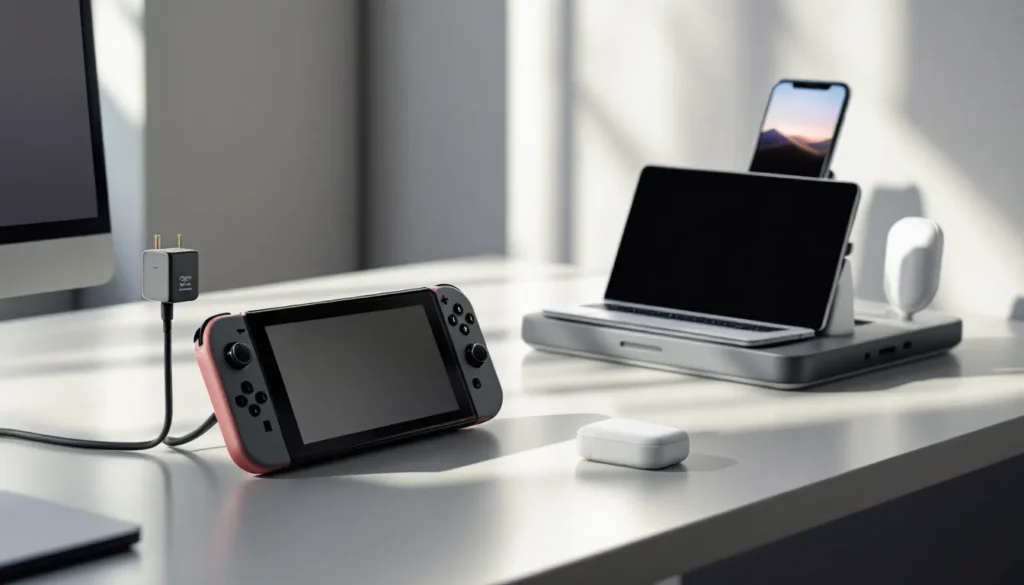
Your Nintendo Switch died mid-session. Again. You frantically search for your charger, only to find the cable frayed or the adapter taking forever to power up your system. Sound familiar? The right Nintendo Switch adapter can mean the difference between uninterrupted gaming sessions and frustrating downtime, especially if you’re bouncing between handheld, docked, and portable modes. Whether you’re a casual player who grabs the system once a week or a competitive gamer who lives in handheld mode, understanding adapter types, power specifications, and quality differences is essential. This guide breaks down everything you need to know about Nintendo Switch adapters in 2026, from official chargers to trusted third-party alternatives, so you can keep your console powered without worrying about compatibility issues or safety risks.
Key Takeaways
- The Nintendo Switch adapter requires 15V/2.6A (39W) output for optimal performance, while the Switch Lite needs only 10W—using the wrong power spec can slow charging or prevent it entirely during docked gaming.
- Official Nintendo adapters are the safest choice, but certified third-party alternatives from Anker and Belkin deliver comparable reliability at half the cost ($10–$15 vs. $20–$30) when properly USB-PD certified.
- USB-C Power Delivery chargers rated 65W or higher can safely charge your Nintendo Switch adapter-compatible device alongside phones, laptops, and tablets, making them ideal for travelers and multi-device users.
- Spot counterfeit Nintendo Switch adapters by checking for blurry printing, loose components, and suspiciously low prices under $10—buy only from authorized retailers like Best Buy, Target, or verified Amazon sellers.
- Replace your adapter immediately if it shows slow charging (3+ hours), intermittent power delivery, visible damage, or produces heat above 110°F; cable damage from rough handling is the leading failure cause.
- Maximize adapter lifespan to 3–5 years by storing it in cool, dry conditions, keeping connections clean, avoiding tight cable coils, and using surge protectors to guard against power surges.
Understanding Nintendo Switch Adapter Types
Not all Nintendo Switch adapters are created equal, and the confusing part? There are more options now than ever before. Understanding the differences between official Nintendo adapters, third-party chargers, and USB-C solutions will help you avoid buying the wrong one and wasting money.
Official Nintendo Switch Adapters
The official Nintendo Switch USB-C power adapter is the gold standard. Nintendo includes this 39W USB-C AC adapter in every standard Switch box, and it remains the safest choice if you want guaranteed compatibility. The official adapter delivers 15V/2.6A output and is specifically tuned for the Switch’s charging requirements across all model variants: the original Switch, Switch Lite, and Switch OLED.
The Switch Lite uses a slightly different official charger, a 10W USB-C adapter, because the system is smaller and has a smaller battery. If you own a Lite and grab a standard Switch charger, it’ll work, but it’s overkill and unnecessary. The Switch OLED, launched in 2021, is compatible with the standard 39W adapter, which is convenient if you already own one.
Official adapters carry Nintendo’s warranty and have been tested extensively for safety. You’ll find them at major retailers like Best Buy and Amazon, typically priced around $20-30. They’re not the cheapest option, but they’re reliable.
Third-Party Compatible Adapters
Third-party adapters have become genuinely competitive in recent years. Reputable manufacturers like Anker, Belkin, and PowerA produce USB-C chargers specifically designed for the Switch with proper power delivery (PD) certification. These adapters often cost $10-15 and come with longer cables or more compact designs than Nintendo’s official offering.
The key difference is certification. A quality third-party adapter should be USB Power Delivery certified (USB-PD) and deliver the correct wattage. Some popular options include:
- Anker PowerPort: 30W USB-C adapter, compact design, widely praised for durability
- Belkin USB-C PD Charger: 18W-60W options, premium build quality
- PowerA Enhanced Charging Dock: A third-party dock with official Nintendo approval
Third-party doesn’t mean cheap or unsafe, many have better reviews than the official adapter for customer service and reliability. Just verify that any charger you buy explicitly states “Nintendo Switch compatible” and has solid reviews from verified purchasers.
USB-C Power Delivery Options
USB-C Power Delivery has opened up a whole new world of charging flexibility. The Switch supports USB-PD, which means you can charge it with any quality USB-C PD charger that delivers 15V/2.6A or higher. This is a game-changer if you use multiple devices.
A single multiport USB-C charger can power your Switch, laptop, phone, and tablet simultaneously. For travel, this is invaluable. Look for chargers with at least two USB-C ports and 65W total output to ensure the Switch gets adequate power even when other devices are charging. Popular USB-C PD chargers like the Aukey 65W Dual USB-C or Nekteck 65W work great with the Switch and cost less than buying separate adapters.
The downside? Not all USB-C chargers are created equal. Some cheap models might deliver insufficient voltage or current, leading to slow charging or no charging while docked. Always check the specs: you want at least 15V/2.6A for optimal performance.
Power Specifications and Compatibility
Before you buy any adapter, understanding power specifications is crucial. A charger that looks right but has wrong specs can damage your Switch or fail to charge it at all.
Wattage and Voltage Requirements
The Nintendo Switch requires 15V/2.6A output, which equals 39W. This is the magic number. Any adapter delivering less than this will charge slowly or not work while the Switch is docked and in use. The Switch draws more power when playing demanding games while docked, so undersized adapters will either fail to maintain battery charge or won’t charge at all during gaming sessions.
Here’s the breakdown by model:
- Standard Switch: 15V/2.6A (39W)
- Switch Lite: 5V/1.5A or 5V/2A (10W) – smaller battery, smaller power draw
- Switch OLED: 15V/2.6A (39W) – same as standard Switch
Don’t assume that a 65W USB-C charger is “overkill.” Quality USB-PD chargers will negotiate power delivery and only send what the Switch requests. A 65W charger won’t damage your Switch: it’ll simply provide 39W and hold steady. Where you need to be careful is with adapters that consistently overshoot voltage or underdeliver current.
Switch Model Compatibility
The three Switch models use different charger specifications, which trips up a lot of people. Here’s what works:
- Standard Switch + Switch OLED: Both use the 39W USB-C adapter interchangeably
- Switch Lite: Uses its own 10W USB-C adapter
Can you charge a Switch Lite with a 39W adapter? Yes, it’s safe. The Lite’s smaller battery and lower power requirements mean the official 39W adapter will charge it, just faster than the native 10W charger. But, using a 10W adapter on a standard Switch or OLED while playing docked is not recommended, the battery will drain rather than charge.
If you own multiple Switch models, one 39W adapter covers both the standard and OLED. The Lite requires its own charger or a compatible third-party 5V/2A charger.
Safety Certifications to Look For
Safety isn’t just a buzzword, cheap, uncertified chargers can cause battery swelling, port damage, or even fire risk. Always look for these certifications:
- USB Power Delivery Certified: Ensures the charger meets official USB-IF standards
- FCC Certification (US), CE Certification (EU), RoHS Compliance: Shows the adapter has passed regulatory safety testing
- Overvoltage/Overcurrent Protection: Built-in safeguards that prevent damage if something goes wrong
Reputable manufacturers like Anker, Belkin, and Nintendo always list these certifications on their product pages or packaging. If a seller can’t provide certification info, skip it. The $5 you save isn’t worth risking a $300+ device or a lithium-ion battery failure.
Original vs. Replacement Adapters
Sooner or later, your adapter will fail. Cables fray, connectors wear out, and occasionally the internal circuitry gives up. Knowing when to replace and how to spot a counterfeit will save you time and money.
When to Replace Your Adapter
Your adapter is due for replacement when you notice:
- Slow charging: Your Switch takes 3+ hours to fully charge from empty, even when plugged into power
- No charging: The system won’t charge at all, but the port works fine with another charger
- Intermittent charging: The adapter charges inconsistently, sometimes it works, sometimes it doesn’t
- Visible damage: The cable is bent, kinked, or the connector is loose
- Burning smell or heat: The adapter feels hot during normal charging (the cord should feel slightly warm, not hot)
If you use your Switch daily in handheld mode and dock it frequently, expect the cable to start fraying after 2-3 years. Heavy users should keep a backup adapter on hand.
Don’t try to fix a failing adapter with electrical tape or by wrapping it tightly. Once the internal conductors are damaged, the adapter is a fire hazard. Replace it immediately.
Recognizing Authentic Nintendo Adapters
Counterfeits are a real problem, especially on third-party marketplace sites. Here’s how to spot a fake Nintendo adapter:
Authentic Nintendo Switch Adapters Have:
- Clean, sharp printing on the cable and connector (no blurry text)
- The Nintendo logo is precise and centered on the connector
- The cable feels sturdy and properly insulated
- Proper weight, the adapter should feel substantial, not hollow
- Serial numbers and regulatory markings on the connector casing
- Sold through official Nintendo stores, Best Buy, Target, or verified Amazon sellers
Fakes Often Show:
- Blurry or misspelled text on packaging or the adapter itself
- Loose or rattling components inside the connector
- Extremely cheap price (under $10 for an official adapter is a red flag)
- Seller with questionable ratings or a new account
- Generic USB-C cable rebranded as Nintendo (check the connector closely)
Buy from authorized retailers when possible. If you’re buying used, request detailed photos of the connector, cable, and packaging before committing. A legitimate used official adapter will show wear but maintain structural integrity.
Top Nintendo Switch Adapter Alternatives
Sometimes the official Nintendo adapter isn’t the best fit for your lifestyle. Depending on whether you’re a traveler, multi-device user, or budget-conscious gamer, alternatives might serve you better.
Portable Power Solutions for Travel
If you’re gaming on the go, carrying a wall charger and cable gets old fast. Portable power banks designed for the Switch offer freedom and flexibility.
Portable Power Bank Options:
- Anker PowerCore 26800 PD: 26,800mAh capacity with USB-C PD output. Charges a Switch fully 2-3 times. Fits in a backpack comfortably. Costs around $50-60.
- Belkin Boost Charge Power Bank: Compact 10,000mAh with USB-C PD, enough for one full charge. Lightweight for day trips.
- Nintendo-Licensed Power Banks: PowerA and Hori make official Nintendo Switch power banks with integrated USB-C ports and carrying cases.
The advantage of portable power is freedom, no search for an outlet at the airport, café, or friend’s house. The tradeoff is charging time. You’ll need to charge the power bank itself regularly.
For serious travelers, a combination setup works best: a portable power bank for gaming on the move, plus a compact 39W USB-C wall charger for overnight charging at your destination. This ensures your Switch is always topped up.
Multi-Device Charging Stations
If you live the multi-device life, Switch, phone, tablet, laptop, a multi-port charging station eliminates cable clutter and saves desk or nightstand space. Look for stations with at least two USB-C ports and 65W+ total output.
Popular Multi-Device Stations:
- Anker PowerStrip with USB-C: 65W total output across two USB-C ports and two USB-A ports. Acts like a power strip with integrated charging.
- Belkin 4-Port Charging Station: Dedicated stand with USB-C PD and USB-A ports, designed for desks and travel.
- Nekteck 65W Multi-Port USB-C Charger: Two USB-C ports, compact size, great for dorm rooms or travel.
These stations are ideal if your Switch lives in a docking station on your desk. One power outlet runs your entire charging ecosystem. They typically cost $30-50 and provide excellent value if you own multiple devices.
Budget-Friendly Options Without Compromising Quality
You don’t need to spend $30 on an official Nintendo adapter to get a safe, reliable charger. Quality third-party USB-C PD chargers deliver 95% of the performance at half the cost.
Budget Picks That Actually Work:
- Anker 30W USB-C Charger: ~$15-20. Single USB-C port, delivers proper voltage/current, incredibly durable. One of the most recommended third-party adapters on Reddit and gaming forums.
- Belkin USB-C PD Charger 18W: ~$12-15. Smaller footprint, still delivers proper 15V/2.6A to the Switch, though it’s the lower-wattage option (still sufficient for charging).
- Generic USB-PD Chargers from Established Brands: Look for chargers from Aukey, Nekteck, or Choetech, all have solid track records. Verify they’re USB-PD certified and deliver at least 39W before buying.
The golden rule: if a charger costs under $10 from an unknown seller, skip it. Reputable manufacturers like Anker or Belkin aren’t competing on rock-bottom pricing for a reason, cheap chargers cut corners on safety components, and that’s where failures happen.
When you’re exploring top Nintendo Switch glass screen protectors to keep your system protected, don’t skimp on the charger keeping it powered. Your hardware’s longevity depends on it.
Setting Up and Using Your Adapter Safely
A quality adapter is only safe if you use it correctly. Proper setup and handling extend the adapter’s life and protect your Switch from electrical damage.
Proper Connection and Charging Practices
Following these simple practices prevents most adapter-related issues:
During Charging:
- Plug the USB-C connector fully into your Switch’s port. It should feel snug and click slightly. Don’t force it, the connector should slide in smoothly.
- Allow adequate space around the charger for airflow. Don’t charge in a sealed case or bag: the adapter and charging port can overheat.
- Avoid charging while playing demanding games on the dock. Your Switch will pull maximum power, generating heat. If you must charge while gaming, prop the console vertically so air flows around it.
- Unplug the adapter from the wall when your Switch is fully charged. Leaving it plugged in wastes energy and puts minor stress on the adapter’s internal components.
Cable Management:
- Route the cable away from foot traffic or sharp edges. Stepping on a cable or running over it with a desk chair will fray the insulation.
- Don’t coil the cable tightly around the charger block. Tight coiling damages internal wires and creates heat pockets. Loosely loop it or use a cable organizer.
- Don’t pull the cable at the connector. Always pull from the wider cable body, not from the thin connector section.
These habits might seem obvious, but cable damage from rough handling is the #1 adapter failure cause. Gamers are often careless when unplugging, avoid yanking.
Common Adapter Issues and Troubleshooting
The Switch Won’t Charge:
First, try a different USB-C cable if you have one. Sometimes the cable is the culprit, not the adapter block. If a different cable works, replace the cable. If the problem persists:
- Check that the wall outlet works (plug in a lamp or another device)
- Inspect the Switch’s USB-C port for lint or debris, use a dry cotton swab to clean gently
- Try a different USB-C wall outlet or outlet location
- If you own another Switch or have access to one, test your adapter with their system to isolate the problem
If the adapter works with another Switch, your device’s charging port may be damaged and requires Nintendo service. If the adapter fails with all Switches, the adapter is dead and needs replacement.
Slow Charging:
Slow charging usually means insufficient power delivery. If your adapter is delivering less than 15V/2.6A, charging will crawl. Shut down the Switch entirely rather than charging in sleep mode, standby still draws power, slowing the charge.
Also, check whether you’re using the USB-C cable included with the adapter. Some third-party cables are low-quality and have higher resistance, reducing effective power delivery even if the adapter is fine.
Overheating:
The adapter should feel warm, not hot. If it’s uncomfortably hot to touch (above 110°F), unplug it immediately. Overheating indicates internal failure or a short circuit. Continued use risks fire or battery damage. Replace the adapter.
Overheating also happens if you’re charging in an enclosed space (like a backpack or closed desk drawer). Always charge with adequate airflow.
For deeper troubleshooting, resources like How-To Geek offer detailed gaming setup tutorials that walk through charging issues step-by-step if Nintendo’s official support doesn’t resolve your problem.
Maximizing Adapter Lifespan and Performance
With proper care, a quality Nintendo Switch adapter lasts 3-5 years. Neglect it, and you’ll be buying replacements every year.
Maintenance and Storage Tips
Daily Care:
- Wipe the connector with a dry cloth weekly to remove dust and oxidation. A clean connection ensures maximum power delivery efficiency.
- Keep the charging port on your Switch clean as well. Lint and debris in the port reduce contact quality and can scratch the connector.
- If your adapter gets wet, let it air-dry completely (24 hours minimum) before using it again. Don’t force-dry it with a hair dryer or near a heat source, that can damage internal components.
Long-Term Storage:
If you’re storing your Switch for weeks or months (moving, off-season), store the adapter in a cool, dry place. Avoid basements or attics where humidity fluctuates dramatically. Temperature extremes (below 32°F or above 95°F) degrade lithium-ion batteries and adapter components over time.
If storing long-term, charge the Switch to about 50% battery before packing it away. Full charge and zero charge both stress the battery during extended storage. Cool, dry, 50% charge is the sweet spot.
Avoiding Overheating and Damage
Heat is the enemy of electronics. High temperatures accelerate component degradation and can cause battery swelling, a dangerous situation where the battery expands and may rupture the device casing.
Prevent Overheating:
- Never charge your Switch in direct sunlight or near heat sources (radiators, space heaters, sunny windowsills).
- Don’t use a protective case while charging and gaming. Cases trap heat. If you must use a case, remove it while charging.
- Ensure your Switch’s ventilation isn’t blocked. The console has vents on the back and sides that need airflow. Gaming in a tight grip (especially handheld) can restrict airflow slightly: be aware.
- Avoid extreme fast-charging scenarios. Using a 65W+ charger repeatedly is safe, but if you’re always rapid-charging from 0-100%, you’re stressing the battery more than necessary.
Protect Against Damage:
- Use a surge protector or UPS (uninterruptible power supply) for your charging outlet. Power surges can damage the adapter’s internal circuitry instantly.
- Don’t use the adapter in humid environments without proper ventilation (like a bathroom during a shower). Moisture can corrode internal components and connectors.
- Keep the adapter away from liquids. If liquid spills on it, unplug immediately and let it dry completely before using.
Quality adapters have built-in overvoltage and overcurrent protection, but that protection has limits. Surge protectors add an extra layer of defense and are cheap insurance.
If you’re setting up a gaming-focused desktop, technology reviews from TechRadar often cover gaming peripheral durability, which includes charging solutions and how they perform under various conditions. Taking time to review equipment before buying saves hassles down the line.
Conclusion
Choosing the right Nintendo Switch adapter comes down to balancing safety, compatibility, and your personal use case. The official Nintendo adapter is the safest bet if you want zero compromise, but quality third-party options from Anker, Belkin, and other certified manufacturers deliver the same reliability at a better price. Whether you’re buying a replacement, upgrading to USB-C Power Delivery flexibility, or investing in a portable power solution, prioritize safety certifications and proper power specifications (15V/2.6A for standard Switch and OLED, 5V/2A for Lite).
Once you’ve made your purchase, treat your adapter like the critical piece of hardware it is. Store it properly, avoid rough handling, keep connections clean, and replace it the moment you notice signs of failure. A $15-30 investment in the right adapter now beats emergency repairs or device downtime later.
Your Switch deserves power that’s as reliable as your gaming skills. With the knowledge from this guide, you can make informed decisions and keep your console charged and ready for any game, any time. Whether you’re exploring how to remove a Nintendo account from your Switch or just settling in for a long multiplayer session, the right adapter ensures your system stays powered throughout.