
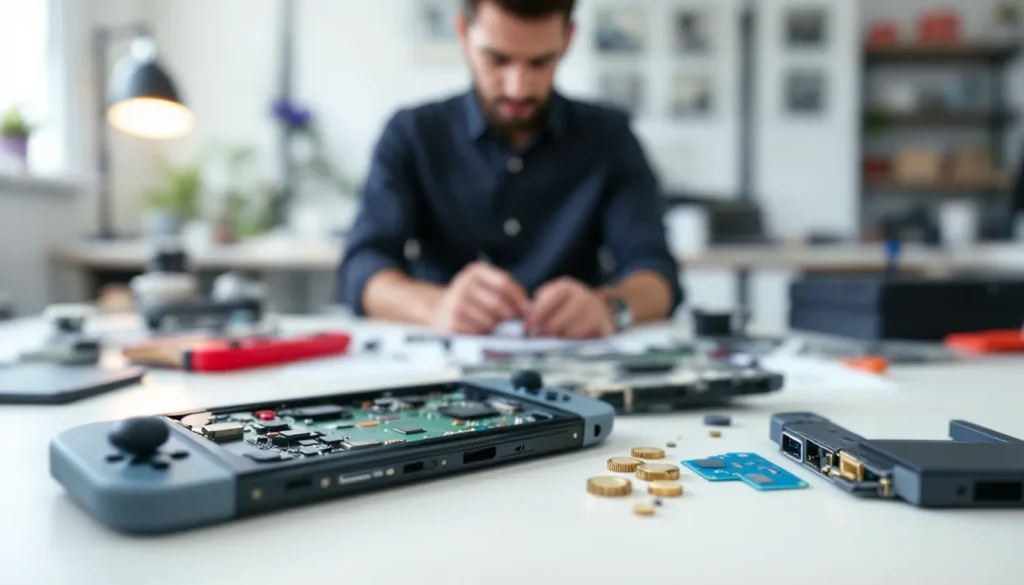
Jailbreaking a Nintendo Switch has evolved significantly since the early days of CFW (custom firmware) exploration. What once required soldering skills and insider knowledge is now accessible to gamers willing to invest time in learning the process. Whether you’re looking to run homebrew games, use emulators, or take full control of your console, understanding how to jailbreak Nintendo Switch means grasping the technical landscape, the available methods, and the real consequences of taking this path. This guide breaks down switch modding, switch lite modding, and the broader ecosystem of Nintendo Switch hacking in 2026, giving you everything you need to make an well-informed choice.
Key Takeaways
- Jailbreaking a Nintendo Switch involves installing custom firmware like Atmosphere to gain administrative access to your hardware, allowing you to run homebrew applications and emulators without soldering on newer models.
- The Fusee Gelee exploit is the most accessible software-based method for early Switch revisions, requiring only a USB payload injector and PC, but patched hardware from mid-2018 onward requires a modchip installation with micro-soldering skills.
- Modchips like picofly are increasingly popular in 2026 for their lower cost and smaller footprint, though installation typically costs $100–300 professionally or requires advanced soldering experience to avoid permanent bricking.
- Nintendo’s ban hammer is swift and permanent—consoles detected using custom firmware face permanent Nintendo Switch Online and eShop bans, making offline-only or secondary account setups essential for online play.
- Legal gray zones surround how to jailbreak Nintendo Switch under the DMCA, but practical risks include warranty voidance, console bans, and unambiguous illegality when using CFW for piracy rather than homebrew exploration.
- The safest approach is maintaining both stock firmware and CFW on separate microSD partitions, reserving stock firmware for online activities and eShop access while using CFW offline to preserve your digital library and account safety.
What Does Jailbreaking a Nintendo Switch Mean?
Jailbreaking, or modding, a Nintendo Switch refers to installing custom firmware that bypasses Nintendo’s stock operating system. Think of it like rooting an Android phone: you’re gaining administrative access to hardware you own, allowing you to run unsigned code and modify system behavior.
When you jailbreak Nintendo Switch, you’re typically replacing or patching the system firmware with alternatives like Atmosphere, giving you control over what software runs on the device. This opens doors to running homebrew applications, backing up your own game cartridges, and accessing emulators. It’s different from hacking in the malicious sense, you’re not compromising security for criminal purposes: you’re modifying your own hardware.
The key distinction: a jailbreak hack Nintendo Switch process is about obtaining root-level access. A modding switch differs in scope, modding can mean aesthetic changes, but when people discuss Nintendo Switch hack techniques, they’re usually referring to firmware modification at the system level. Switch lite modding follows similar principles as modding switch OLED or standard models, though hardware vulnerabilities vary by revision.
Key Methods for Jailbreaking Nintendo Switch
Several distinct approaches exist for modding a Nintendo Switch, each with trade-offs in terms of difficulty, reversibility, and compatibility.
Fusee Gelee Exploit Method
The Fusee Gelee vulnerability remains the most popular exploit for jailbreak Nintendo Switch devices, particularly early hardware revisions (pre-2018). This software-based attack targets the USB recovery mode of the Tegra X1 processor, allowing direct code execution before the bootloader fully loads.
The exploit works by injecting a malicious payload through the USB port when the console boots in recovery mode. It’s elegant because it doesn’t require physical modification, no soldering, no opening the case. You’ll need a USB connection to a PC, a payload injector (like a Teensy device or similar hardware dongle), and the appropriate firmware files. The beauty of Fusee Gelee is that it’s non-destructive: if something goes wrong, a reboot often fixes it. But, it only works on specific hardware revisions. Later Switch models (patched revisions from mid-2018 onward) are immune to this vulnerability.
Hardware-Based Jailbreak Options
For patched consoles, hardware modification becomes necessary. The most common approach involves modding switch through a modchip installation, a tiny circuit board soldered onto the motherboard that patches the system bootloader before it executes.
Modchips like SX Core, SX Lite, or picofly represent different price-to-performance tiers. SX Pro was historically popular but is now discontinued. Picofly is gaining favor in 2026 due to lower cost and smaller footprint. These require opening the console and micro-soldering skills, not for the faint of heart. One wrong solder joint can brick your device permanently. Many users prefer sending their consoles to professional modding services rather than attempting this themselves. Modding switch lite via hardware is riskier because the compact design makes soldering tighter, though it’s still possible.
Software-Only Approaches
Some methods attempt to remain purely software-based even on patched hardware. Jailbreak Nintendo switch using game exploits (like the Pokémon Sword/Shield vulnerability or the Animal Crossing exploit from earlier firmware versions) fall into this category. These leverage bugs in specific games to gain code execution.
The downside: game exploits are time-sensitive. As games receive patches and new firmware versions are released, old exploits die. You’re locked to specific firmware versions and game revisions. Switch lite modding via game exploits is technically possible but requires patience, the right combination of game version, firmware version, and exploit must align. For most users in 2026, these methods are relics: modchips or Fusee Gelee are far more reliable.
Popular Custom Firmware Options
Once you’ve jailbroken your Switch, you’ll need custom firmware to actually use the hardware modifications or exploits.
Atmosphere and Other Leading Firmwares
Atmosphere is the dominant custom firmware in the community. It’s actively maintained, free, and respects the principle of making your hardware do what you want without forcing unnecessary features or telemetry on users. Atmosphere layers on top of the original firmware, modifying system behavior while maintaining stability and compatibility with legitimate eShop games and updates.
Other options exist: ReiNX was an earlier favorite but is no longer maintained. SXOS (used with SX modchips) was proprietary and charged for features Atmosphere provided for free. Atmosphere’s community support, regular updates, and compatibility make it the de facto standard for switch modding in 2026.
When modding switch or modding switch lite, firmware choice matters. Atmosphere’s layered approach means you can update your base firmware while maintaining CFW functionality, something earlier firmwares couldn’t guarantee. The development community around Atmosphere is active: if new exploits or compatibility issues emerge, fixes typically arrive quickly.
Requirements and Prerequisites
Before attempting a jailbreak Nintendo switch, inventory what you’ll need.
Hardware Requirements
For Fusee Gelee exploitation (software-only), you need:
- A compatible Nintendo Switch (early hardware revisions: check online databases for your serial number)
- A PC with USB ports
- A payload injector device (Teensy 4.0 or similar microcontroller, around $25–40)
- A USB-C to USB-A cable
For modchip installation, add:
- A soldering iron and solder
- Micro-soldering experience (or acceptance that you’ll pay $100–300 for professional installation)
- A modchip (SX Core, SX Lite, picofly, etc.: $20–80)
- Tweezers, magnification tools, and steady hands
Modding switch lite requires the same modchip approach but in a more confined space. Modding switch OLED is similar to modding standard Switch hardware, though specific pad locations differ.
Software Tools and Files Needed
Regardless of method, you’ll need:
- Atmosphere firmware package (free, downloadable from GitHub)
- Payload injection software (TegraRCMGUI or Rekado)
- A microSD card (64GB or larger recommended for game backups)
- Various supporting tools and payloads (hekate bootloader, etc.)
All these are freely available from communities like Nexus Mods and dedicated Switch modding forums. You’ll also want a guide specific to your console revision, hardware revisions matter significantly for compatibility.
Step-by-Step Jailbreak Process
The exact process depends on your chosen method, but general principles apply.
Preparation and Backup Procedures
Before touching hardware or firmware:
- Identify your hardware revision. Look at your serial number (on the back, or in System Settings under Console Information). Online databases tell you which exploit methods work for your unit.
- Back up your eShop purchases and saves. On your Switch, navigate to System Settings > Data Management > Manage Software and create backup files. This isn’t required for the jailbreak itself, but losing access to your library would be painful.
- Download all necessary files. Grab Atmosphere, the latest hekate bootloader, and your chosen payload injector software. Verify checksums if available, corrupted files cause bricking.
- Prepare your microSD card. Format it FAT32 on a PC. Extract Atmosphere’s folder structure to the root.
- Create a system backup. If your method supports it, image your current NAND (internal storage). This gives you a nuclear option if things go sideways.
Installation and Configuration
For Fusee Gelee (software-based):
- Program your Teensy or payload injector with the appropriate bootloader code.
- Plug the Teensy into your PC via USB.
- Power off your Switch completely.
- Insert the Teensy into the Switch’s USB-C port.
- Hold Vol+ and press Power. The Switch should boot into recovery mode.
- Run TegraRCMGUI on your PC, connect to the Switch, and inject the Atmosphere payload.
- The Switch boots CFW. Insert your prepared microSD card.
For modchip installation:
- Open the console (instructions vary by model: watch teardown videos for your revision).
- Locate the modchip contact pads on the motherboard.
- Carefully solder the modchip’s pads to these points. This is where errors happen, a cold joint means failure.
- Close the console and boot normally. The modchip intercepts the boot process.
- Inject the Atmosphere payload using a compatible injector or follow the modchip’s specific installation steps.
- Insert your prepared microSD card and configure Atmosphere.
Most users skip steps 1–3 by paying professionals for modding switch hardware. It’s safer and often costs less than replacing a bricked console.
Legal and Safety Considerations
Here’s where things get complicated.
Understanding Risks and Potential Consequences
Jailbreaking isn’t inherently illegal in most jurisdictions, but the laws surrounding circumvention devices are murky. The DMCA (Digital Millennium Copyright Act) in the US and similar laws elsewhere restrict circumvention technologies, even for personal use. Installing a modchip, technically, could violate these rules depending on interpretation. Realistically, Nintendo won’t sue you for modding your own hardware, but legally, you’re in gray territory.
The practical risks are higher: your console could be banned from Nintendo’s servers. If Nintendo detects CFW when you connect online, they may flag or ban your device from Nintendo Switch Online and eShop access. Using CFW for piracy (downloading paid games illegally) is unambiguously illegal and increases your exposure. Homebrew and emulation are less legally clear, but Nintendo’s position is firm: any modification violates terms of service.
Security risks exist too. Custom firmware is community-maintained and not professionally audited. Malicious payloads or compromised downloads could theoretically give others access to your personal data or banking information if you use eShop on a CFW console. Vet your sources carefully.
Warranty and Online Play Implications
Jailbreak Nintendo Switch and your warranty is toast. Nintendo will refuse service, period. If your console fails, you own the repair.
Online play is possible on CFW, but risky. Many users employ offline mode or secondary accounts to minimize ban exposure. The safest approach: keep a stock firmware OS on a separate SD card partition, switch between CFW and stock depending on activity. It’s tedious but maximally safe.
EShop purchases made on modded consoles carry additional risk, bans sometimes follow. If you’re invested in your digital library, think twice. Some users maintain a stock partition specifically for online play and eShop access.
Troubleshooting Common Issues
Problems happen. Here’s how to handle them.
Installation Failures and Error Messages
“Fusee Gelee payload injection failed”: Your Teensy isn’t properly flashed, your USB connection is loose, or your Switch revision is patched. Verify your hardware revision online. Retry the injection with a different USB port. If it persists, your console is likely patched and requires a modchip.
“Bad microSD card detected”: Your microSD wasn’t formatted correctly or the Atmosphere files are corrupted. Reformat on a PC, not the Switch. Re-extract Atmosphere files from a fresh download. Check your SD card for bad sectors using tools like How-To Geek‘s recommended diagnostics.
“System won’t boot after modchip install”: Most likely a cold solder joint or incorrect pad selection. Reheating solder joints often fixes it. If that fails, professional repair is your best bet. A bricked console is recoverable if you have a NAND backup, but it requires specialized equipment.
Atmosphere won’t load: Your hekate bootloader is outdated or conflicting with your firmware version. Download the latest Atmosphere and hekate from the official GitHub repository. Extract to a fresh microSD card and try again.
Performance Problems and Recovery Options
Game crashes on CFW: Older Atmosphere versions sometimes conflict with newer games. Update Atmosphere to the latest stable release. Some games have known incompatibilities, check community forums on Reddit’s r/switchhacks for workarounds.
Bricked console after failed installation: If you have a NAND backup, professional recovery is possible (costs $50–150). Without a backup, your options shrink. Some modchip variants allow recovery through UART connections, but this requires specialized knowledge. Prevention is better: always back up before modifying.
Can’t boot into recovery mode: Hold Vol+ while powering on. If nothing happens, your jig (the device that triggers recovery mode) isn’t making good contact. Rebuild or replace it. For modchips, ensure the install is solid, reflowing solder often helps.
Automatic bans from Nintendo Network: Once Nintendo detects CFW, bans are swift and permanent. If you’re banned, online play is done. Offline mode or a secondary account on stock firmware are your workarounds.
Conclusion
Modding a Nintendo Switch, whether you’re exploring switch lite modding, standard switch modding, or switch OLED modding, is technically feasible in 2026 but carries real trade-offs. The hardware vulnerabilities that made Fusee Gelee possible are now patched on newer units, pushing most users toward modchip solutions that require soldering expertise or professional services.
The legal gray zone is real. While you won’t face criminal charges for personal modding, Nintendo’s ban hammer is swift and consequences are permanent about online access. Piracy using CFW is unambiguously illegal and carries actual legal risk.
If you’re purely interested in homebrew and emulation on your own hardware, and you’re comfortable losing online functionality, jailbreak Nintendo switch or modding your unit is achievable. For most users, though, the safest play is keeping stock firmware for online activities and eShop access while using a secondary account or secondary microSD card for CFW experimentation. The gaming experience on CFW is solid, and Nintendo Life regularly covers community developments that make the scene richer. Just go in with eyes open, understand the risks, and make your choice accordingly.