
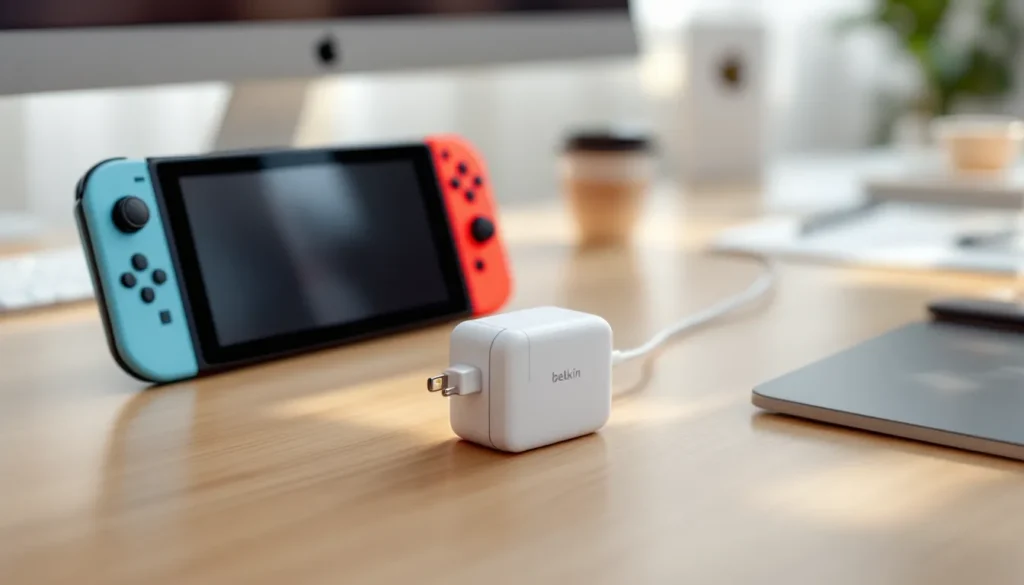
If your Nintendo Switch Lite won’t charge, or you’re looking for a replacement charger before your original wears out, you’ve probably noticed there’s a lot of confusing information out there about what actually works. The good news? Finding the right Nintendo Switch Lite charger doesn’t require a PhD in electronics. The bad news? Grabbing the wrong one can damage your device or leave you frustrated. This guide cuts through the noise and gives you exactly what you need to know: which chargers work, which ones are safe, and where to actually buy them without getting scammed. Whether you’re upgrading to a faster charger or replacing a broken cable, you’ll find the specific information that matters to your setup.
Key Takeaways
- The Nintendo Switch Lite charger must output 5V and 2.6A (13W minimum) and support USB-C with Power Delivery, but the device caps power draw at 13W regardless of higher-wattage chargers.
- Official Nintendo Switch Lite chargers cost $20–$30 and are tested specifically for your device, while reputable third-party options from Anker or Belkin ($10–$20) work well if you verify certifications like FCC, CE, and UL markings.
- Despite the name, fast charging for the Nintendo Switch Lite isn’t faster than standard 13W chargers—the real benefit of higher-wattage multi-port chargers is charging multiple devices simultaneously when traveling.
- If your Nintendo Switch Lite won’t charge, test a different charger, inspect the USB-C cable for damage, restart the device, check for bent pins in the port, and update your system software before assuming hardware failure.
- Buy your Nintendo Switch Lite charger from authorized retailers like Nintendo’s official store, Amazon (sold by Amazon), Best Buy, Target, or Walmart to avoid counterfeits with suspicious pricing, poor photos, vague descriptions, or no return policies.
- Extend your charger’s lifespan by using velcro cable ties instead of tight coils, keeping it away from moisture and heat, inspecting the cable monthly for cracks, and unplugging it when fully charged rather than leaving it plugged in continuously.
What Type of Charger Does the Nintendo Switch Lite Use?
The Nintendo Switch Lite uses USB-C, which might seem obvious in 2026, but it’s the detail that separates working chargers from ones that’ll fry your device. Understanding the exact specifications is crucial because not every USB-C charger plays nice with the Switch Lite, and this is where most people make their first mistake.
USB-C Specifications and Power Requirements
The Nintendo Switch Lite needs a charger that outputs 5V and 2.6A at minimum. That’s 13W of power. This is lower than the original Switch (15W), but it’s the floor, going below it means slow charging or no charging at all. Your charger also needs to support USB Power Delivery (USB-PD) or at least be rated for the Switch Lite specifically. The cable itself matters too: it must be a high-quality USB-C to USB-C cable that can handle the current without overheating. Nintendo’s official charger delivers exactly 5V/2.6A, which is why it’s reliable, it’s designed specifically for these requirements.
The Switch Lite can handle chargers that output more than 13W. Many modern USB-C chargers deliver 20W, 30W, or even 65W without issues. The device simply draws what it needs, so a powerful multi-device charger won’t damage the Switch Lite. But, the cable quality becomes even more critical with higher-wattage chargers. A cheap cable connected to a high-power charger is a fire hazard, not a feature.
One often-missed detail: the Switch Lite doesn’t support “fast charging” in the traditional sense. It caps power draw at around 13W regardless of what you plug it into. So a 65W charger charges it at the same speed as a 15W charger. The advantage of higher-wattage chargers is that they’re usually better built and can charge multiple devices simultaneously if needed.
Official Nintendo Switch Lite Charger vs. Third-Party Options
This is the decision that keeps people awake at night: should you buy the official Nintendo charger or save money with a third-party option? The answer depends on your priorities and budget, but let’s break it down honestly.
Benefits of the Official Charger
Nintendo’s official USB-C power adapter is the safest choice for one reason: it’s been tested and certified specifically for the Switch Lite hardware. You’re getting a charger that Nintendo engineers verified won’t damage your device. It comes with proper safety certifications (FCC, CE marks, etc.), so there’s zero guesswork. The cable is also MFi-adjacent in terms of reliability, it’s built to Nintendo’s standards and will withstand daily use.
The trade-off? The official charger costs more: around $20–$30 depending on where you buy it. You’re paying for the brand name and the assurance that comes with it. If your Switch Lite is your primary device or you can’t risk downtime, the official charger makes sense.
There’s also a convenience factor. The official charger is widely available at authorized retailers, so you won’t end up accidentally buying a counterfeit thinking you’re getting the real thing.
Third-Party Chargers: Quality and Compatibility
Not all third-party chargers are bad, some are excellent. The key is knowing which brands have actual quality control and which ones are cutting corners. Brands like Anker, Belkin, and Spigen make USB-C chargers that work perfectly fine with the Switch Lite. These companies have reputations to protect and rigorous testing standards. Their chargers typically cost $10–$20 and deliver the same power output as the official charger.
The risk with third-party chargers increases when you go below $10. Cheap, no-name chargers from sketchy sellers cut corners on components like capacitors and resistors. These parts regulate voltage and prevent overcharging. When they’re subpar, your Switch Lite can experience battery degradation, slow charging, or in worst cases, port damage. You’re not just buying a charger: you’re betting on the manufacturer’s quality control.
A practical approach: if you need a backup charger, grab a well-reviewed Anker or Belkin option from a trusted retailer. If you’re buying your primary charger or are replacing one because it failed, go official. The $10–$15 price difference is worth the peace of mind.
How to Choose a Safe and Reliable Nintendo Switch Lite Charger
Choosing a charger sounds simple until you’re staring at 50 product listings that all look identical. Here’s what actually matters when you’re evaluating options.
Safety Certifications and Standards to Look For
Before you even consider a charger, check for these certifications:
- FCC (Federal Communications Commission): Required in the US. If a charger doesn’t have an FCC mark, it’s not being sold legally in the States.
- CE Mark: European standard. If you’re in Europe or buying from European sellers, this is non-negotiable.
- UL Certification: United Laboratories. This is a third-party test that verifies safety standards.
- RoHS Compliance: Ensures the charger doesn’t contain harmful substances.
You’ll see these listed on the product packaging or in the product description. If a charger listing doesn’t mention any certifications, skip it. That’s a red flag that the seller either doesn’t know what they’re selling or is deliberately hiding information.
Many retailers like Amazon now require FCC certifications, so chargers sold through major platforms are generally safer than random marketplace listings. But double-check the listing, scroll down to the specs section and verify the certifications are mentioned.
Key Features of High-Quality Replacements
Beyond certifications, here’s what separates good chargers from great ones:
Power Output: Confirm it states 5V and at least 2.6A (13W minimum). If it just says “USB-C” without amp ratings, it’s not safe to assume it’ll work.
Cable Quality: If the charger comes with a cable, it should be properly shielded and thick enough to handle the current. Thin cables overheat and are a fire hazard. Look for cables with braided covers, they last longer and handle heat better than bare plastic.
Thermal Management: Quality chargers have internal components that regulate heat. This prevents the charger from getting excessively hot during use. If a charger gets too hot to touch after charging for an hour, it’s poor quality.
Multiple Device Compatibility: A charger that works with phones, tablets, and other USB-C devices is more useful and usually better built. Manufacturers that make multi-device chargers have higher quality standards because they face more scrutiny.
Warranty: Reputable brands offer at least a 1-year warranty. If a charger has no warranty or a 90-day warranty, the manufacturer isn’t confident in its longevity. Nintendo’s official charger comes with a standard 1-year hardware warranty.
Fast Charging for Nintendo Switch Lite: What You Need to Know
“Fast charging” for the Switch Lite is a bit of a misnomer, and it’s important to understand what’s actually possible before you buy something marketed as “ultra-fast.”
Charging Speed and Device Performance
The Switch Lite maxes out at 13W of power draw. That’s the ceiling, no charger can make it charge faster than that. The device simply won’t accept more power than its battery and charging circuit are designed for. So when you see chargers advertised as “fast charging for Switch Lite,” understand what that really means: the charger is capable of delivering 13W consistently and reliably, not that it’s magically faster than other 13W chargers.
From a practical standpoint, most USB-C chargers rated for 5V/2.6A (13W) or higher will charge your Switch Lite at the same speed. The difference in charging time between the official 13W charger and a quality third-party 20W charger is negligible, we’re talking maybe 1–2 minutes difference over a full charge cycle.
The real benefit of higher-wattage chargers isn’t speed for the Switch Lite itself: it’s the ability to charge other devices simultaneously. If you’re charging your Switch Lite, phone, and tablet at the same time from a multi-port charger, the 65W model distributes power more efficiently than a single-device 13W charger.
Compatible Fast Chargers and Their Benefits
If you want a single charger that handles the Switch Lite, your phone, and maybe a laptop, look for multi-port USB-C chargers in the 45W–65W range from brands like Anker, Belkin, or Aukey. These are legitimately useful for someone with multiple devices. The Switch Lite gets 13W, your phone gets 20W or 30W, and everything charges together.
The real “fast charging” advantage isn’t about the Switch Lite charging faster, it’s about convenience. Instead of carrying three chargers when you travel, one good multi-port charger handles everything. These chargers have dedicated ports and smart power management that prevents any device from drawing more power than it should.
When shopping for these, make sure each port is independently rated. A charger that says “65W total” is different from one with “30W per port.” You want the latter, it ensures consistent power delivery even when multiple devices are plugged in. Read the port specifications, not just the total wattage.
Troubleshooting Common Nintendo Switch Lite Charging Issues
Your Switch Lite isn’t charging, or it’s charging painfully slow. Before you assume the charger is dead, run through these diagnostics.
Device Not Charging or Charging Slowly
First step: Try a different charger. If you have a friend’s official Nintendo charger or a known-good third-party charger, test with that. If the Switch Lite charges normally with a different charger, your original charger is the problem.
Second step: Check the cable. Many charging failures are actually cable failures. The port on the Switch Lite can only handle so much bending before the internal connections degrade. If the cable is frayed, cracked, or feels loose when plugged in, replace it. Don’t try to tape it or prop it up, that’s a fire hazard.
Third step: Restart the Switch Lite. Hold the power button for 10 seconds to force shutdown, then power it back on. Sometimes the device’s battery management system gets confused and won’t register charging until you do this. After restarting, plug it in and wait 30 seconds before checking if the charging indicator appears.
Fourth step: Check the USB-C port itself. Look into the port with good lighting. You’re looking for bent pins (those small metallic connectors inside). If pins are visibly bent or the port is clogged with dust, that’s your problem. You can carefully use a wooden toothpick to clean out lint, but don’t force anything. If pins are bent, that’s a hardware repair that needs a professional, ports aren’t user-replaceable.
Fifth step: Update your system software. Rarely, a software bug can cause charging issues. Go to System Settings > System Update and check for updates. This won’t fix hardware problems, but it’s quick and occasionally resolves mysterious charging glitches.
If none of these steps work, the battery itself might be degraded (especially if the Switch Lite is several years old). Batteries degrade naturally over time. If your device is out of warranty, battery replacement is available through Nintendo’s repair service, but it costs about $50–$60.
Cable and Port Damage Prevention
Damage prevention is easier than repair. Here’s how to avoid common issues:
Don’t yank the cable out. When unplugging, hold the connector itself, not the cable. Pulling on the cable puts stress on the solder joints inside the port, causing them to eventually fail.
Don’t leave the charger plugged in under pressure. If you’re playing handheld while charging, keep the cable at a natural angle. Don’t wind it tightly or put your weight on it. Tension on the cable puts stress on the port.
Keep the port clean. Dust and lint accumulate inside the USB-C port. Every few weeks, use a dry compressed air can to blow out the port. Don’t stick anything into it unless absolutely necessary.
Use a proper cable. Cheap cables have thinner gauge copper and lower-quality insulation. They fail faster and are more likely to cause port damage because the connection is loose. A quality cable holds the pins securely.
Don’t charge in high-heat environments. If your room is over 85°F (29°C), charging is slower and stresses the battery more. Avoid charging in direct sunlight or next to heat sources. Modern electronics have thermal cutoffs that stop charging if they get too hot, so you won’t get a sudden fire, but you will degrade the battery faster.
These habits add years to both your cable and your port. It’s not glamorous advice, but it’s how you actually keep your hardware alive.
Where to Buy Replacement Chargers and What to Avoid
Knowing what to buy is only half the battle. Where you buy it matters just as much, counterfeits are a real problem in the gaming accessory market.
Authorized Retailers and Official Channels
The safest place to buy an official Nintendo Switch Lite charger is directly from these sources:
- Nintendo’s Official Store (store.nintendo.com): No middleman, guaranteed authentic.
- Amazon (sold by Amazon or Official Nintendo store): Look for listings that specifically state “Sold by Amazon” or “Sold by Nintendo”. Third-party sellers on Amazon are hit-or-miss.
- Best Buy: Physical stores where you can inspect packaging before buying.
- Target and Walmart: Both sell official Nintendo chargers at retail locations.
- GameStop: They carry official chargers, though selection varies by location.
When buying in-store, inspect the packaging. Official Nintendo chargers come in clean, well-printed boxes with no typos. The packaging should feel sturdy, not flimsy. If something looks cheap or feels off, it probably is.
For third-party chargers, reputable tech retailers like How-To Geek’s recommended retailers often have guides on where to buy reliable tech. Brands like Anker and Belkin sell through their own websites and through Amazon, Best Buy, and Target.
Red Flags: Spotting Counterfeit and Low-Quality Products
Counterfeits and low-quality chargers are everywhere, especially on marketplace sites. Here’s how to spot them:
Price too good to be true: Official Nintendo chargers cost $20–$30. If you find one for $8, it’s fake. Third-party brand-name chargers (Anker, Belkin) shouldn’t cost less than $10 unless they’re clearance items or heavily discounted due to age.
Poor product photos: Fake chargers are usually photographed in terrible lighting or use stock images. The photo quality tells you about the seller’s professionalism. Legitimate sellers use clear, well-lit photos from multiple angles.
Vague or broken descriptions: If the product description has grammar errors, vague power output specifications (like “fast charging” with no wattage listed), or no mention of certifications, it’s likely counterfeit or low-quality.
Suspicious seller information: Check the seller profile. Do they have hundreds of positive reviews or just a handful? Do they sell other gaming products alongside random unrelated items? Counterfeit sellers often have weird product catalogs because they’re dropshipping from sketchy warehouses.
No return policy: Legitimate sellers have return policies. If a marketplace listing has a strict no-return policy or says “all sales final,” that’s a red flag. Sellers who stand behind their products allow returns.
Packaging concerns: When it arrives, check the packaging quality. Counterfeit chargers come in boxes that feel thin, have smudged printing, misaligned logos, or typos. The cable inside should feel substantial and be neatly packaged, not loose or damaged.
You can research chargers on Nintendo Life and TechRadar’s gaming hardware reviews before buying. Both sites test third-party accessories and flag counterfeit warnings when they spot them. Spending 5 minutes reading reviews saves you from a $15 counterfeit charger that damages your device.
Extending the Life of Your Nintendo Switch Lite Charger
Once you’ve invested in a good charger, keeping it in working condition is about smart habits, not luck.
Store it properly: Don’t coil the cable tightly around the charger or wrap it in a loop. Coiling stresses the cable at the connection points. Instead, use a velcro cable tie or loosely drape the cable. Better yet, get a cable organizer or a simple plastic bag to keep the charger and cable separate.
Avoid moisture: USB-C ports and chargers are electronics. Water and humidity corrode the components. If your charger gets wet, let it air dry completely (24 hours minimum) before using it. Don’t try to speed up drying with heat, that can damage the internal components.
Don’t use adapters: If you’re plugging the charger into a wall socket in a different country, use a proper voltage converter, not a cheap adapter. Voltage spikes through bad adapters can fry the charger’s components.
Limit heat exposure: Chargers generate some heat during use, which is normal. But don’t leave them plugged in for extended periods when not actively charging. Leaving a charger plugged in for 8+ hours continuously ages the internal capacitors faster. Unplug it when your device is fully charged.
Inspect regularly: Every month or so, visually check the cable for cracks or exposed wires. Check the connector for bent pins or corrosion. Catching damage early means replacing the cable before it fails completely or causes port damage.
These habits are mundane, but they’re the difference between a charger lasting 2 years and one lasting 5+ years. You’re already investing in quality, protecting that investment is just smart maintenance. Many gamers discover the Nintendo Switch features and peripherals that enhance their setup, and a reliable charger is a core part of that.
Conclusion
Finding the right Nintendo Switch Lite charger boils down to understanding your needs and being willing to verify what you’re buying. The official Nintendo charger is the safest bet if you want zero risk. Quality third-party options from established brands like Anker and Belkin offer better value without sacrificing reliability. What matters most is avoiding counterfeits, checking certifications, and buying from trusted retailers.
Your charger isn’t just an accessory, it’s the lifeline of your gaming sessions. A good one lasts years. A bad one damages your device or leaves you stranded. Spend 10 minutes verifying what you’re buying, and you’ll avoid frustration and regret. Whether you need a replacement because your original failed or you want a backup charger for travel, the information here gives you the specifics to make a confident decision.